Mobile Device Management for Small Business: BYOD and Company-Owned Setup
Compare enrollment choices, evaluate MDM costs and controls, pilot deployment and test removal of work data before a wider rollout.
For a small business, the useful MDM product is one the team can operate consistently: enrolling phones, deploying required apps, handling lost devices and removing access when someone leaves. Begin with ownership and business-data requirements, then compare products against those requirements. A low license price is only one part of the operating cost.
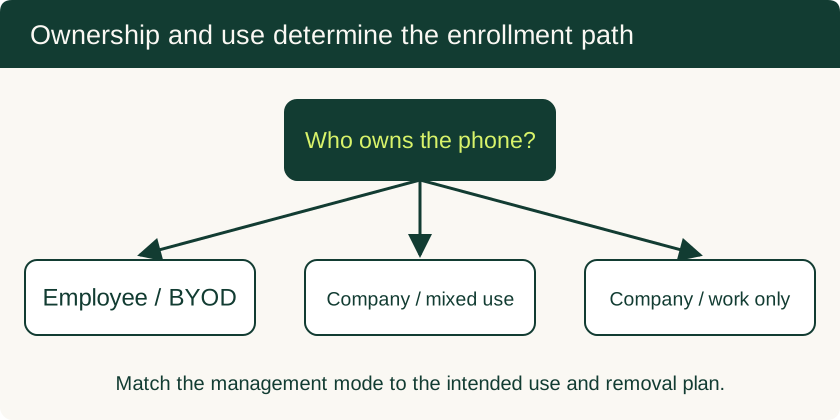
For supported employee-owned phones, evaluate Android Work Profile and Apple User Enrollment. For company-owned devices, evaluate the platform's organization enrollment options. Pilot the exact mode, apps and removal command before rollout so administrators and employees understand what will be managed and deleted.
Choose a deployment model
| Decision | Personal devices (BYOD) | Company-owned devices |
|---|---|---|
| Business goal | Add managed work access to a personal handset | Manage an organization asset for its assigned use |
| Android enrollment | Personally owned Work Profile | Fully managed, company-owned Work Profile or dedicated device as appropriate |
| Apple enrollment | User Enrollment where supported | Automated Device Enrollment or another supported organization route |
| Personal use | Explain work-data and management boundaries | Document whether personal use is allowed and what a reset means |
| Removal test | Remove managed data and verify personal data remains | Test the chosen retire, erase or reassignment workflow |
| Recovery planning | Revoke business sessions if the device is offline | Include asset recovery, activation locks and reprovisioning |
See the official Android Enterprise overview and Apple enrollment documentation for platform details. NIST’s mobile-device guidance provides a lifecycle framework for choosing and operating controls.
Compare MDM products by required controls and total cost
Create a short requirements list before requesting a trial. Include the platforms already used, identity provider, app distribution, minimum OS policy, certificate or VPN needs, reporting, audit logs and lost-device workflow. Ask whether each capability is included in the quoted edition and supported under the intended enrollment mode.
| Evaluation item | Evidence to request |
|---|---|
| Licensing | Per-user or per-device basis, minimum commitment and renewal terms |
| Enrollment support | Demonstration on the actual phone models and ownership modes |
| Identity integration | Sign-in, multifactor recovery and access-revocation test |
| Application management | Required-app installation, configuration and removal |
| Operations | Administrator effort, support hours and audit-log retention |
| Exit plan | Data export, removal of management and certificate renewal responsibilities |
Compare the total of licenses, setup work, ongoing administration, support and device replacement. Existing identity or productivity subscriptions may include management features; check their limits before buying overlapping tools. Require a written quote for the actual users and devices rather than relying on a generic per-seat figure.
Pilot Android Work Profile
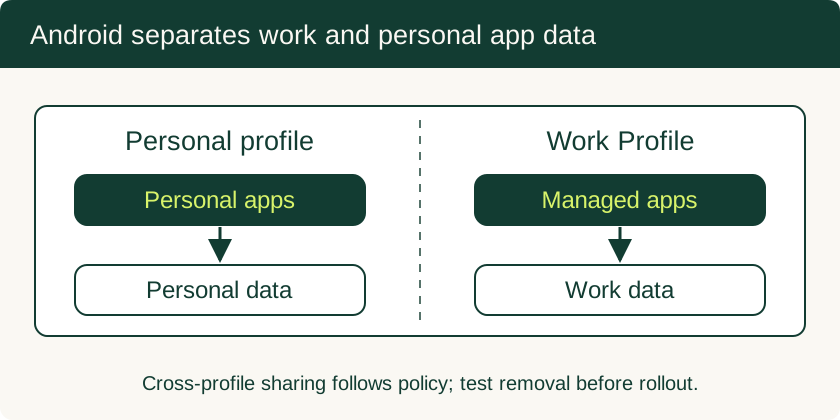
On supported personal Android devices, Work Profile separates work applications and data from personal applications. Follow the selected MDM’s enrollment instructions, install the required work apps and verify their briefcase badges. Confirm that business sign-in, email, file access and notifications work.
Test cross-profile copying, sharing and contact access against the policy. Show employees how to distinguish the work app from the personal version and how pausing the profile affects work notifications. Document what administrators can see for this ownership mode, including work-app activity and relevant device information; management capabilities differ on company-owned devices.
Pilot Apple User Enrollment and company enrollment
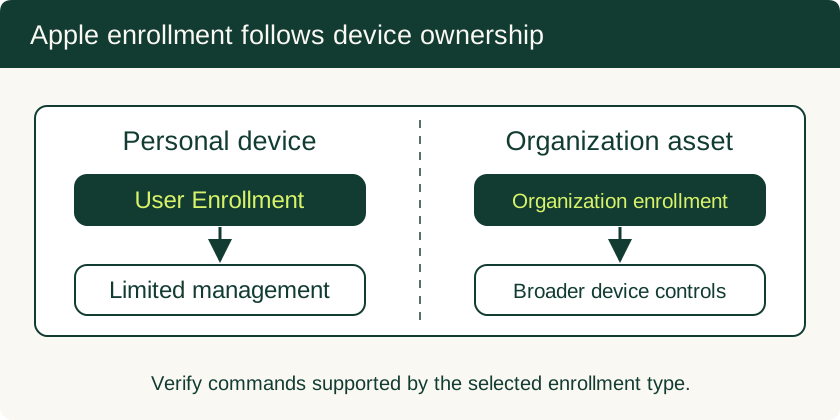
For personal Apple devices, verify User Enrollment requirements, including the organization’s account setup and the selected MDM’s support. Test managed apps and account access, then check the available commands for that enrollment type. A generic configuration profile is not automatically equivalent to User Enrollment.
For organization-owned Apple devices, Automated Device Enrollment supports enrollment during setup for eligible devices assigned through the organization’s device-management service. Confirm procurement or manual-addition requirements before issuing phones. Existing devices may need preparation and an erase, so preserve required data and agree on a migration window first.
On Android, confirm whether the chosen company-owned mode requires provisioning during device setup. Use the MDM’s supported enrollment method, and verify behavior after reset before treating automated enrollment as ready.
Establish baseline policies and a support route
Start with supported OS versions, a suitable device credential, required business apps and an access policy for noncompliant devices. Pilot update deadlines and certificate or VPN configuration on a representative set of devices. Keep an administrator recovery account and a user support process that works when the person’s phone is unavailable.
Issue an employee notice covering ownership, collected management information, required settings, lost-device reporting and offboarding. Give administrators separate named accounts and restrict destructive commands to the roles that need them. For eSIM and hardware-backed key planning, see the enterprise mobile-security overview.
Test offboarding before the first employee leaves
Use a pilot device containing clearly distinguishable personal and work test files. Issue the removal action for its actual enrollment type. Verify the result on the phone and in the management console: work apps and local work data should be removed as intended, and the personal data should remain for the personal-device workflow. Avoid selecting a full-device erase command by mistake.
Separately revoke business sessions, certificates and application access. Device-side deletion requires the command to reach and execute on the device; an offline handset can delay it. Deleting a managed profile does not remove copies already exported to other locations, and it does not necessarily remove cloud data held by the business. Record successful completion or an outstanding device action, then close the user account and asset workflow according to policy.
Related Technical Guides
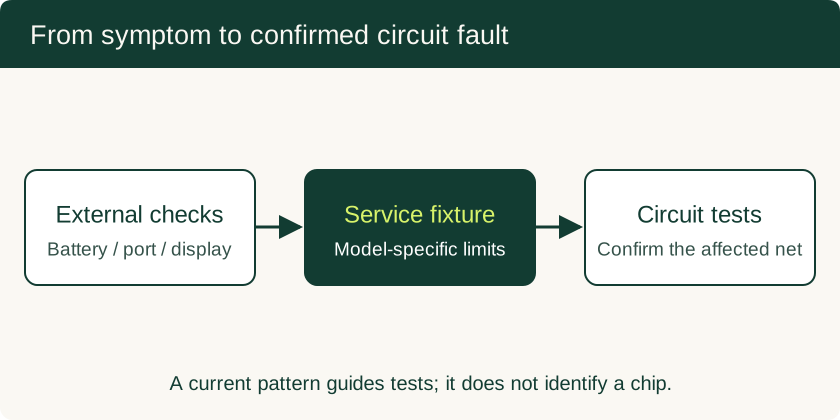
Phone Motherboard Repair: PMIC Diagnosis, BGA Rework and Data Recovery
Understand how technicians narrow down board faults, what BGA rework involves, and which repair decisions preserve the chance of local data recovery.
Read technical guide
USB Debugging on Android: ADB Authorization, Wireless Pairing and Safe Recovery
Set up trusted ADB connections, collect diagnostics, use scrcpy appropriately and remove workstation access after troubleshooting.
Read technical guide
USB-C to HDMI Adapter for Phone: Compatibility and Black-Screen Checks
Check native video support separately from USB data speed, choose the right adapter, and understand powered docks and DisplayLink alternatives.
Read technical guide