Enterprise Mobile Security: Enrollment, Encryption, eSIM and Updates
Plan phone ownership, work-data separation, hardware-backed keys, cellular provisioning and a maintainable security-update policy.
Enterprise mobile security starts with the data employees need, the device owner and the consequences of losing access. Mobile device management (MDM) applies settings and reports device state; identity controls, updates, user training and an incident process complete the system. The right enrollment method gives administrators the controls they need while setting clear expectations for employees.
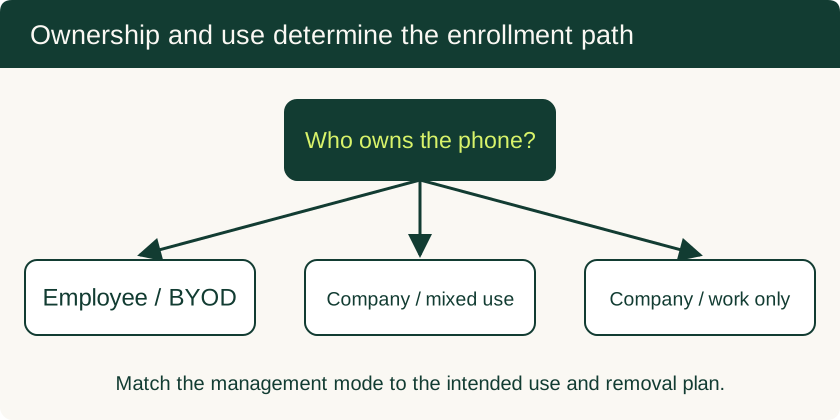
Use Android Work Profile or Apple User Enrollment for supported personal-device deployments. Use the appropriate company-owned enrollment mode for organization assets. Verify the available controls on the actual OS and MDM product, then test removal, update and recovery behavior before granting broad access.
Ownership and management reference
| Ownership and use | Android approach | Apple approach | Offboarding decision |
|---|---|---|---|
| Employee-owned phone | Work Profile on a personally owned device | User Enrollment | Remove managed work data and revoke business access |
| Company-owned, personal use allowed | Work Profile on a company-owned device where supported | Organization enrollment with an explicit personal-use policy | Decide whether to retire work management or erase the asset |
| Company-owned, work only | Fully managed device | Automated Device Enrollment where eligible | Revoke access and erase or reassign using the supported workflow |
| Shared single-purpose device | Dedicated-device management | Supported supervised-device restrictions | Reset and reprovision for the next user or purpose |
Android Enterprise’s deployment overview and Apple Platform Deployment define platform-specific capabilities. Android and Apple enrollment states are not interchangeable even when the business ownership policy is the same.
A lifecycle that includes retirement
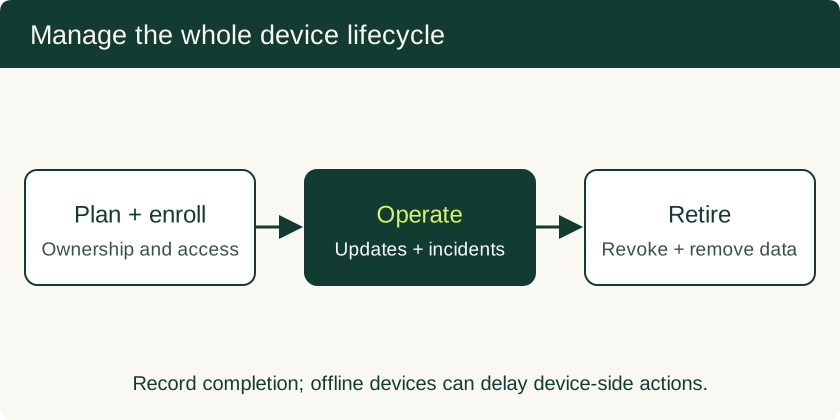
NIST SP 800-124 Rev. 2 addresses mobile security across deployment, use and disposal, covering both personal and organization-owned devices. Turn that guidance into a local operating plan: identify allowed devices, enroll with the chosen ownership mode, monitor compliance, respond to loss and remove access at retirement.
Keep an inventory of owner, enrollment type, OS version, support end date and business access. Assign responsibility for exceptions and incident response. A device that is offline may not receive a removal command immediately, so revoke server-side credentials and sessions alongside device actions.
Application isolation and work-data boundaries
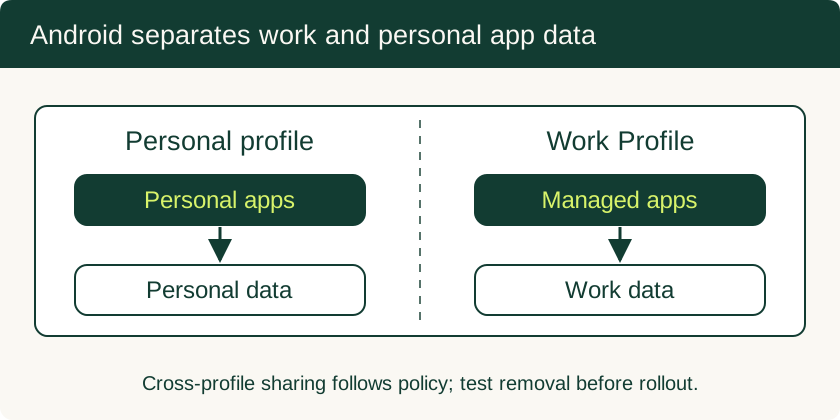
Android Work Profile separates work apps and data from personal apps and data. Work apps use briefcase badges, and management can apply work policies. Cross-profile sharing is a policy decision: test clipboard use, file sharing, contacts and links with the actual managed apps. Removing the Work Profile removes its local apps and data; copies exported elsewhere need separate handling.
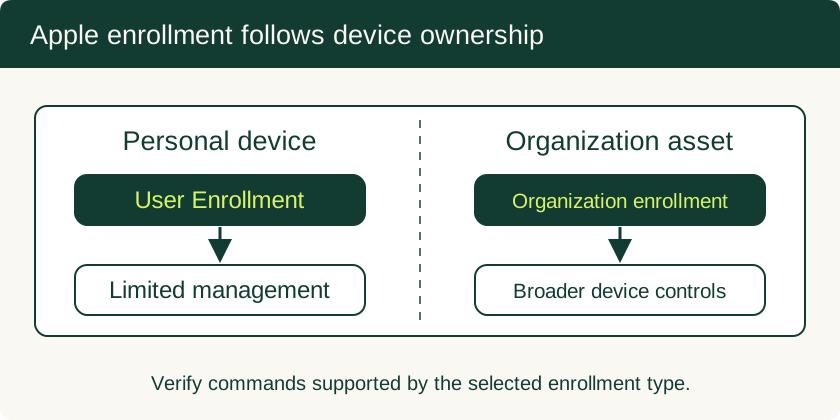
Apple User Enrollment is designed for personally owned devices and limits management to appropriate organizational accounts, settings and information. It offers a different set of commands from organization-owned enrollment. Explain what the MDM can inventory and remove using the chosen enrollment’s documentation rather than promising that every management mode has identical privacy behavior.
Hardware-backed encryption and attestation
Android’s hardware-backed Keystore protects eligible cryptographic keys through secure hardware implementations. Apple’s Secure Enclave is a dedicated security subsystem. App-data isolation, storage encryption and hardware-backed keys address related but distinct parts of the security problem.
Require appropriate device credentials and supported software, then evaluate whether the selected devices and MDM support the attestation your access policy needs. Attestation is a signal about properties of a device or key; it does not certify that all apps, network paths and user actions are safe. Test how access changes when a device becomes noncompliant and how the user recovers after remediation.
Enterprise eSIM provisioning
Treat an eSIM as a carrier subscription with its own ownership and recovery process. Confirm device and carrier compatibility, who controls activation credentials, and whether the MDM supports the required cellular commands on that platform and enrollment type. Apple’s cellular payload documentation covers managed cellular settings; carrier activation and plan availability remain separate requirements.
For a pilot, verify voice, data, roaming rules and the intended default line on dual-SIM devices. Record how a lost handset’s subscription is suspended or transferred, and what happens to the plan during reset or reassignment. Keep activation material accessible only to authorized administrators. A Work Profile alone does not provision a corporate phone number.
Firmware and operating-system updates
Track the manufacturer’s supported update window for each model, not just its Android or iOS major version. Define a minimum acceptable patch level, a pilot group, an installation window and an escalation route for failed updates. Validate important business apps and peripherals before broad rollout, then confirm actual device versions through management inventory.
Set an exception expiry for devices that cannot update. Replace or remove business access from unsupported hardware according to the organization’s risk policy. Preserve a recovery route for users whose authentication device is being repaired or replaced. The small-business MDM guide turns these decisions into a rollout and offboarding checklist.
More in Enterprise Mobile Security
Mobile Device Management for Small Business: BYOD and Company-Owned Setup
Compare enrollment choices, evaluate MDM costs and controls, pilot deployment and test removal of work data before a wider rollout.
Read technical guide