Phone Battery Health and Cycle Count Diagnostics: Coulomb Counter Drift, Internal Resistance, and 80% Cutoff
Phone battery health is a capacity ratio. Read cycle count, fuel-gauge drift, and resistance shutdowns before an 80% capacity cutoff.
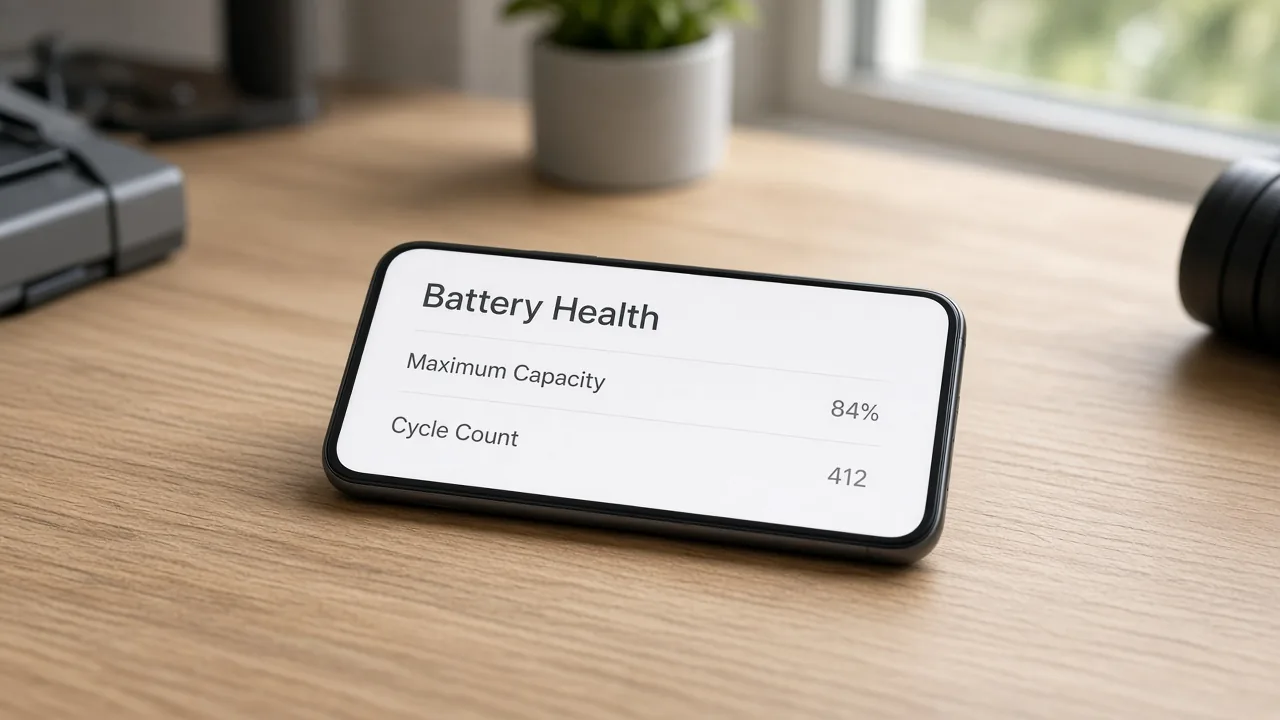
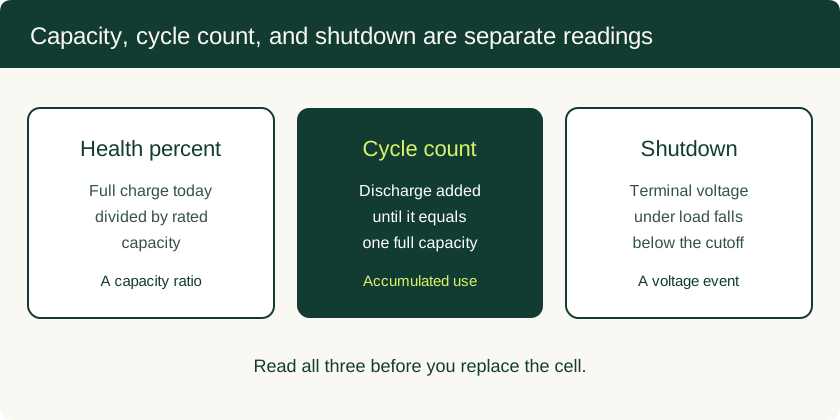
A phone can show a health percentage in the low-to-mid 80s and still switch off during a camera burst or in the cold. The percentage is a capacity estimate. The cycle count is accumulated discharge. The shutdown is the pack voltage falling under a load. Write those three down before you order a cell.
Read maximum capacity or state of health, then the cycle count, and note whether the phone was cold or running a short high-current task when it died. A charge limit sitting near 80 percent is a wear setting. The 80 percent capacity cutoff is the point where full-charge capacity has fallen to the maker's service marker. A swollen case means you stop charging and arrange service.
What each reading measures
| Reading | What it counts | What it leaves out |
|---|---|---|
| Health or maximum capacity | Full-charge capacity compared with rated or original capacity | Whether the pack can hold voltage during a pulse |
| Cycle count | Discharge accumulated to one full capacity, or the vendor full-cycle counter | Resistance of the cell today |
| Charge counter | Available charge, or a relative coulomb total | Whether “full” has shrunk |
| On-screen percent | State of charge against the gauge’s current idea of full | Chemical capacity and impedance |
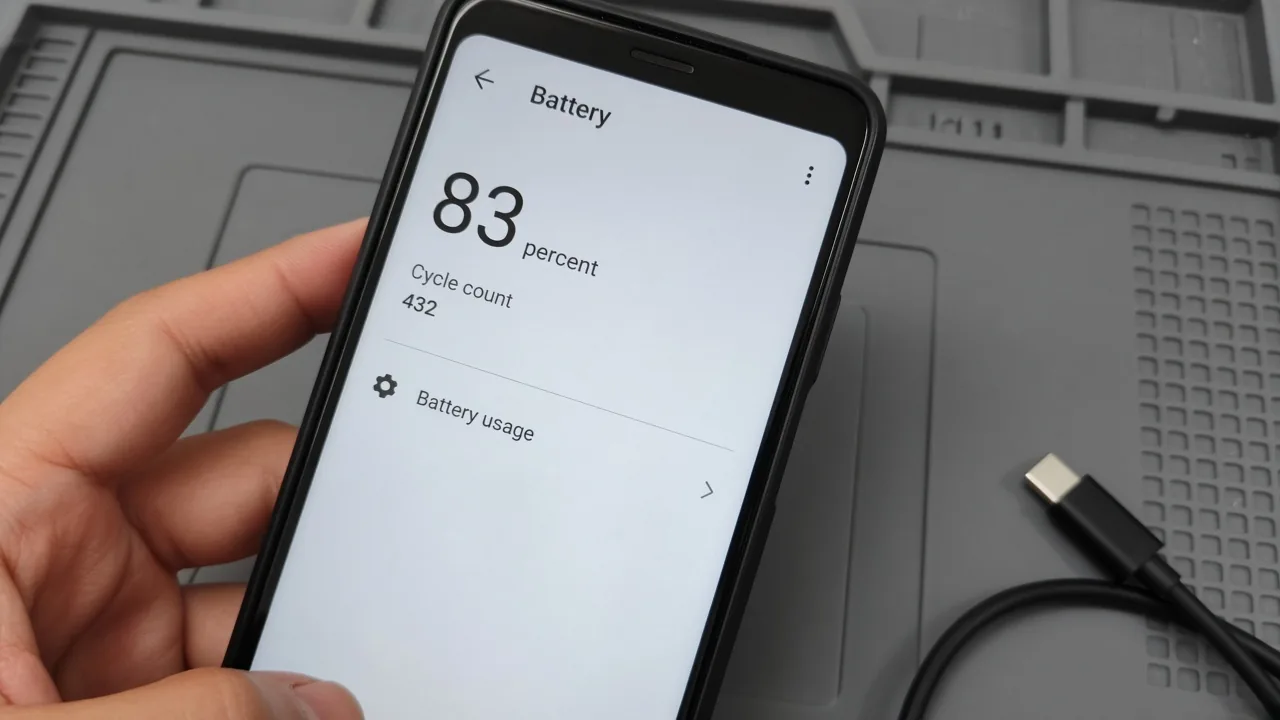
Android’s BatteryManager defines BATTERY_PROPERTY_STATE_OF_HEALTH as the remaining estimated full charge capacity relative to rated capacity, in percent. The constant is behind a feature flag, so a given phone or app may not expose it. The Linux power-supply class documents a separate state_of_health file as a vendor percentage built from learned capacity and from impedance. That file’s own note says the value is usually not charge_full divided by charge_full_design, and that one vendor’s percentage is not comparable with another’s.
Apple describes maximum capacity as battery capacity relative to when the battery was new. On iPhone 15 and later with iOS 17.4 or later, open Settings, tap Battery, then Battery Health. That screen shows battery health, maximum capacity, cycle count, manufacture date, and first use. On iPhone 11, 12, 13, and 14, the path is Settings, Battery, Battery Health & Charging. If the phone reports that it cannot verify a genuine Apple battery, Apple says the health information might not be accurate.
Commission Delegated Regulation (EU) 2023/1669 defines rated capacity as the electricity, in milliampere-hours, that the manufacturer declares the battery can deliver during a 5-hour period.
How one cycle is counted
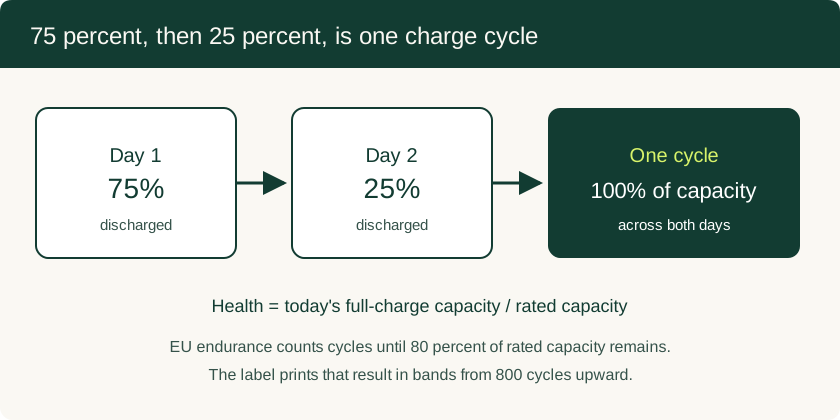
Apple’s lithium-ion notes count a cycle when you have used an amount equal to 100 percent of capacity, spread across plugs if needed. Use 75 percent of the capacity one day and 25 percent the next day, and those two days are one cycle. On iPhone, Apple also normalizes a complete cycle between 80 percent and 100 percent of original capacity, so the counter accounts for the fade Apple expects. It is not a raw sum against the day-one design capacity for the life of the phone.
Where a kernel driver exposes it, cycle_count under the power-supply class reports the number of full charge and discharge cycles. A value of 0 means the driver has no cycle information.
There is no universal 500-cycle or 800-cycle life to apply to every handset.
Apple publishes design targets under ideal conditions. Batteries in iPhone 14 models and earlier are designed to retain 80 percent of original capacity at 500 complete charge cycles. Batteries in iPhone 15 models and later are designed to retain 80 percent at 1000 complete charge cycles. The percentage on a particular phone still depends on how it is used and charged.
The EU energy label uses a test definition. Battery endurance in cycles is the number of charge and discharge cycles until usable capacity has reached 80 percent of rated capacity. The method cited with the regulation is IEC EN 61960-3: a capacity check at 0.2 C, then cycles at 0.5 C, repeated until measured capacity is below 80 percent, using the manufacturer’s default charging algorithm. The declared number is rounded down to full hundreds and printed in bands from at least 800 upward. A label that reads ≥800 is that band for that model. Read the label, or the cycle count in Settings, for the phone you have.
A health reading near 83 percent can still end in a shutdown
A screenshot at 83 to 85 percent is still a capacity ratio. The phone switches off when pack voltage under load falls below what its power management will run on. Capacity and cutoff voltage are different limits inside the same pack.
Apple’s account of chemical age: the charge the cell can hold declines, and peak power can decline with it. Impedance rises as the battery ages. Impedance also rises for a while at low state of charge and in the cold, and the rise is larger when age and cold happen together. Current through that higher impedance pulls the battery voltage down further. Storage, the power circuits, and the battery itself need a minimum voltage. When power management can no longer support the load, the system shuts down to protect those parts. Apple notes that this shows up more often at low charge, with a higher chemical age, or in the cold. On the iPhone models that use performance management, iOS watches temperature, state of charge, and impedance, and it limits CPU and GPU peaks when that combination would otherwise shut the phone off. On iPhone 11 and later, the same aging can show up as slower launches, lower frame rates, a dimmer backlight, or, in extreme cases, a camera flash the system turns off for the moment.
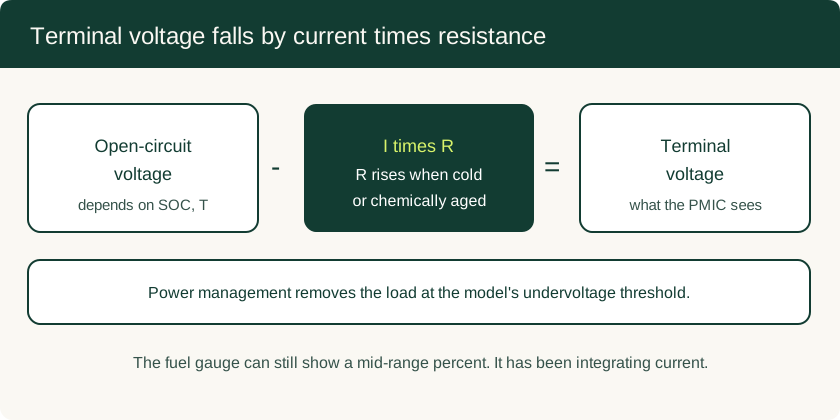
The circuit form is the one in NREL’s resistive model of high-power lithium-ion cells. Open-circuit voltage depends on state of charge and temperature. Internal resistance depends on state of charge, temperature, and whether current is charging or discharging. Terminal voltage is the open-circuit voltage minus current times that resistance. On the 6 Ah Saft cells in that work, discharge resistance at 0°C was about three times the value at 25 to 40°C, and resistance rose sharply as state of charge approached empty, which they describe as open-circuit voltage approaching 3.4 V on those cells. See the NREL temperature-dependent model report. Those were laboratory cells, so the threefold figure is the size of the cold effect in that dataset. It is not a constant to copy onto a phone pouch, and 3.4 V there is an open-circuit point near empty, not a handset cutoff voltage.
A Department of Energy review of low-temperature lithium-ion work states that lithium-ion cells experience a 20-fold impedance increase at −30°C. That temperature is a laboratory extreme, far below a coat pocket. It is the same direction of effect: a short high current, such as a camera burst or a game launch, can drop terminal voltage while the fuel gauge, which has been integrating current, still shows a mid-range percent.
Samsung’s Galaxy battery guidance puts ordinary use at 32 to 95°F (0 to 35°C) and says extended time outside that range may lead to unexpected shutdowns and a shorter battery life. Apple’s charging guidance puts the ideal room at 62 to 72°F (16 to 22°C), says use or charging above 95°F (35°C) can permanently reduce lifespan, and says a cold loss of runtime returns when the battery is back in its normal temperature range. Let a cold phone warm in room air. If the percentage climbs slowly, use the cable, current, and heat checks. The readings below apply when the percentage looks ordinary and the phone still dies under load.
Read the gauge in the units it actually uses
On a computer you trust, follow the ADB authorization steps, then split the dumps by what they measure.
adb shell dumpsys battery prints the Battery Service snapshot: level, voltage, temperature, and, where the build includes it, the charge counter. Android documents that counter as available battery power in microampere-hours. Divide by 1,000 for milliampere-hours. The Linux power-supply class describes CHARGE_COUNTER as the current charge counter in microampere-hours, a value that can be negative and that is useful for relative measurements over time. Either way, it is not a full-capacity test and it is not a health percentage.
adb shell dumpsys batterystats is the usage dump. Android’s dumpsys documentation says this service generates statistical data about battery usage, organized by user ID. Its milliamp-hour figures attribute energy to apps. They are not the cell’s full-charge capacity, and they are not the cycle count.
Cycle count on current Android is the battery-changed extra android.os.extra.CYCLE_COUNT. On devices that expose the sysfs file, /sys/class/power_supply/<supply_name>/cycle_count is the driver’s full-cycle count, and 0 means unavailable.
BATTERY_PROPERTY_CHARGE_COUNTER is the microampere-hour capacity property. BATTERY_PROPERTY_STATE_OF_HEALTH is the capacity-ratio percentage when that flagged API is present. If a shell read of state_of_health is also available, keep it in its own column. The kernel text says that vendor percentage is not the factor between charge_full and charge_full_design.
In the power-supply class, CHARGE_FULL is the last remembered charge when the battery became full, or the full threshold at the present temperature and age. CHARGE_FULL_DESIGN is the design value. A ratio of the two is meaningful when the vendor fills both in the same unit and lets the full value move as the cell ages. Two identical numbers on a well-used phone are a reason to treat a perfect 100 percent as unverified.
On iPhone, with Share iPhone Analytics on, Analytics Data files can include last_value_MaximumCapacityPercent, last_value_NominalChargeCapacity, last_value_CycleCount, last_value_AppleRawMaxCapacity, and last_value_MaximumFCC. Those keys are in the aggregated logs the phone writes. The Battery Health screen is the reading Apple presents for service. The log can sit a few points away from Settings. Apple’s support pages do not publish a formula that turns NominalChargeCapacity and MaximumFCC into the Settings percentage. Keep the log as context.
When the coulomb counter has walked off
A coulomb counter updates state of charge by adding measured current multiplied by time, then dividing by the capacity it believes the cell has. Movassagh, Raihan, Balasingam, and Pattipati, in their analysis of coulomb counting (arXiv:2101.05435), separate errors that grow with time from errors that scale with how much charge has moved. A current-sensor offset is the first kind. It keeps adding while true current is near zero, so the percentage drifts over hours. A wrong full-charge capacity is the second kind. Every percent is then scaled against the wrong “full.”
Analog Devices’ note on coulomb-counting fuel gauges makes the same split in circuit terms. Offset is a fixed error voltage across the sense resistor, so it dominates at small currents and still drifts with temperature after a factory calibration. Gain error is a percentage of the current. Gain can inflate reported capacity on both charge and discharge while the halfway point still looks plausible.
Two vendor behaviors maintain the gauge. They do not restore electrode capacity.
If Charge Limit is set below 100 percent, Apple says the iPhone occasionally charges to 100 percent to keep state-of-charge estimates accurate. That charge-limit 80 percent reduces time spent full. It is a different 80 percent from the capacity cutoff below. Optimized Battery Charging, which holds near 80 percent until the phone expects you to unplug, belongs with the slow-charging checks.
On iPhone 11, iPhone 11 Pro, and iPhone 11 Pro Max, iOS 14.5 and later can show a recalibration message. Apple’s note on that update says the reporting system had inaccurate maximum-capacity estimates that did not reflect the cell. Recalibration runs during ordinary charge cycles and can take a few weeks. The displayed percentage stays put while the message is up. On those models, wait until the message clears before you treat the percentage as a service decision.
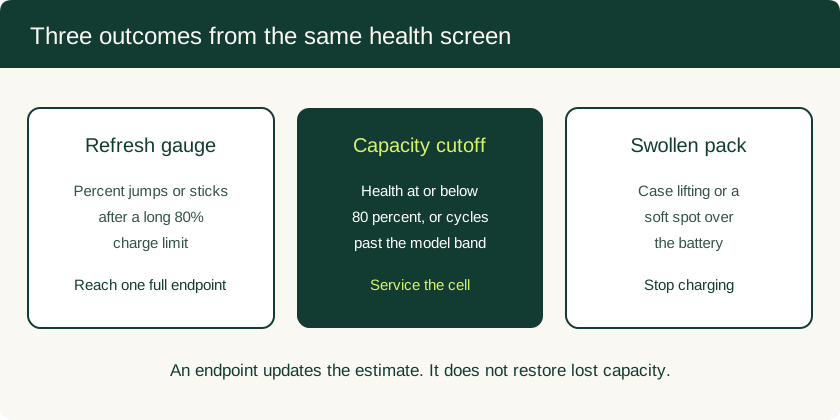
Letting the phone reach the full endpoint it uses for state of charge pulls a drifted percentage back onto the gauge. The milliampere-hours that chemical aging removed stay removed.
Three decisions
| What you see | Next step | What a calibration charge does here |
|---|---|---|
| Case lifting, a soft spot over the pack, or heat from the cell | Stop charging and leave the pack sealed. NREL’s pouch-cell study attributes swelling to gas from overcharge, moisture in the cell, or overheating. Samsung tells Galaxy owners to unplug after 100 percent to avoid a swollen battery. Have the pack replaced on a service path that handles lithium-ion cells. | Nothing useful. Another cycle adds stress to a cell that is already generating gas. |
| Health or maximum capacity at or below 80 percent, or a cycle count past the model’s published band, with shorter runtime under the same brightness and radios | Treat that as the capacity cutoff. Apple’s design points are 80 percent at 500 cycles for iPhone 14 and earlier, and at 1000 cycles for iPhone 15 and later, under ideal conditions. The EU label uses the same 80 percent remaining-capacity marker and prints endurance in hundred-cycle bands. Service terms follow the warranty and local law. | It teaches the gauge the smaller capacity. It does not put the lost charge back. |
| Health still above that cutoff, a modest cycle count, and a percentage that jumps or sticks after a long stretch on a charge limit | Let the phone complete the full-charge endpoint it uses for state of charge. On iPhone, a limit below 100 percent already schedules occasional charges to 100 percent for this estimate. Read health again after that endpoint. | This is the case where the endpoint helps. Re-check before you approve a new cell. |
If the phone still shuts off at room temperature during ordinary use, after the gauge has seen a full endpoint and the health reading is still high, write down the model, OS version, health percent, cycle count, battery temperature, and the activity at shutdown. A repairer can test the cell against that record. A power fault on the board is a separate job. Motherboard repair and data recovery lists the evidence to ask for before anyone lifts a power-management chip. If the symptom might still be the display, the port, or an app, start from the hardware diagnostics overview.
Checklist to keep with the phone
Record these before you approve a battery replacement.
- Model, OS build, and whether the battery is reported as genuine or verified.
- Maximum capacity or state of health, and the screen you read it from.
- Cycle count, next to the published endurance for that model: Apple’s 500 or 1000, or the EU band on the energy label.
- Charge counter in milliampere-hours, if Android exposes it, labeled as remaining charge.
- Whether a charge limit or optimized charging has been holding the phone below 100 percent, and whether one charge has since reached the system’s full endpoint.
- Any recalibration message on an iPhone 11, 11 Pro, or 11 Pro Max.
- Shutdowns: the activity, the on-screen percent, and whether the phone was below about 32°F (0°C) or above 95°F (35°C).
- Swelling or a case that no longer sits flat. If either is present, charging stops.
- Whether the slow-charging checks already ruled out the cable, the adapter, and a thermal hold.
That sheet separates a gauge that needs an endpoint from a cell that has reached its capacity cutoff.
Related Technical Guides
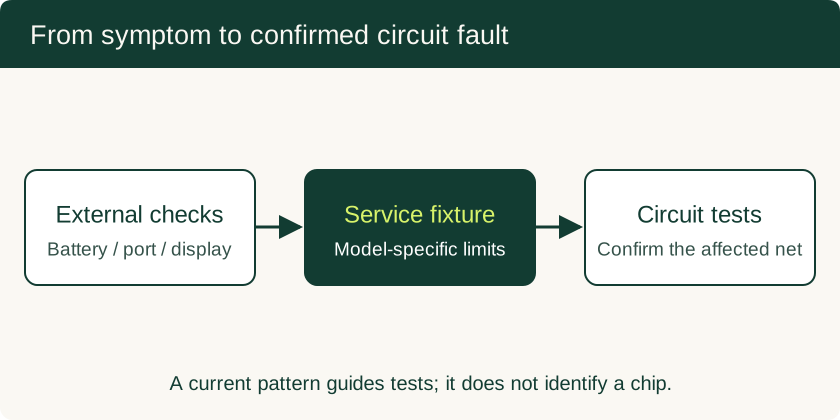
Phone Motherboard Repair: PMIC Diagnosis, BGA Rework and Data Recovery
Understand how technicians narrow down board faults, what BGA rework involves, and which repair decisions preserve the chance of local data recovery.
Read technical guide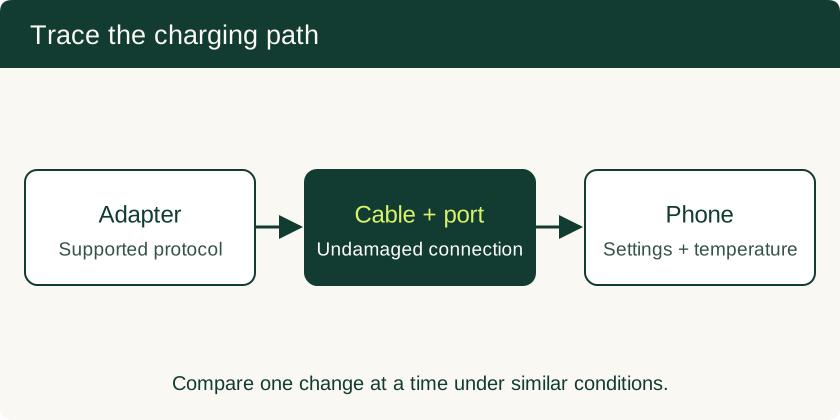
Why Is My Phone Charging Slowly? Six Checks for Cables, Current and Heat
Separate charger and cable faults from battery taper, charge limits and temperature protection with a six-step charging check.
Read technical guide
Mobile Device Management for Small Business: BYOD and Company-Owned Setup
Compare enrollment choices, evaluate MDM costs and controls, pilot deployment and test removal of work data before a wider rollout.
Read technical guide