eSIM vs Physical SIM for Enterprise Phone Fleets: SM-DP+ Remote Provisioning, Dual-SIM Failover, and Device Swap
Compare eSIM and physical SIM architecture, SM-DP+ remote provisioning, MDM anti-tamper policies, Dual-SIM Dual-Standby routing, and broken-phone swap workflows.
The eUICC chip used to host the eSIM is installed via surface-mount technology at the factory and uses the same electrical interface as a physical SIM as defined in ISO/IEC 7816 in a 6 mm × 5 mm format; once an eSIM carrier profile has been installed on an eUICC, it operates in the same way as a physical SIM, complete with a unique ICCID and network authentication key generated by the carrier. Compare the remote provisioning architecture, anti-tamper restrictions, and field replacement workflows below alongside the enterprise mobile security guide to prevent unplanned fleet downtime when handsets fail. One common physical form factor of an eUICC chip is Machine-to-Machine Form Factor 2 (MFF2), and all eUICCs are programmed at the factory with a permanent eUICC ID (EID) used by the provisioning service to associate the device with a carrier subscription and negotiate a secure programming channel. By design, eSIMs cannot be cloned or modified, are designed to operate only on a specific device, and the GSMA eSIM specification SGP.21 restricts eSIM profiles from being exported from one eUICC to another.
With a physical SIM, someone can quickly steal a user’s SIM containing the user’s phone number to receive SMS communication such as one-time passcodes or personal identification numbers, whereas with an eSIM this is not possible. When an Apple device management service sends the Refresh Cellular Plans command with the address of the carrier’s eSIM (SM-DP+) server, the device downloads, installs, and activates its eSIM, which may take up to three minutes. If an eSIM profile assigned to a device on the carrier’s server has already been downloaded once, it is deleted and will not be available for further retries.
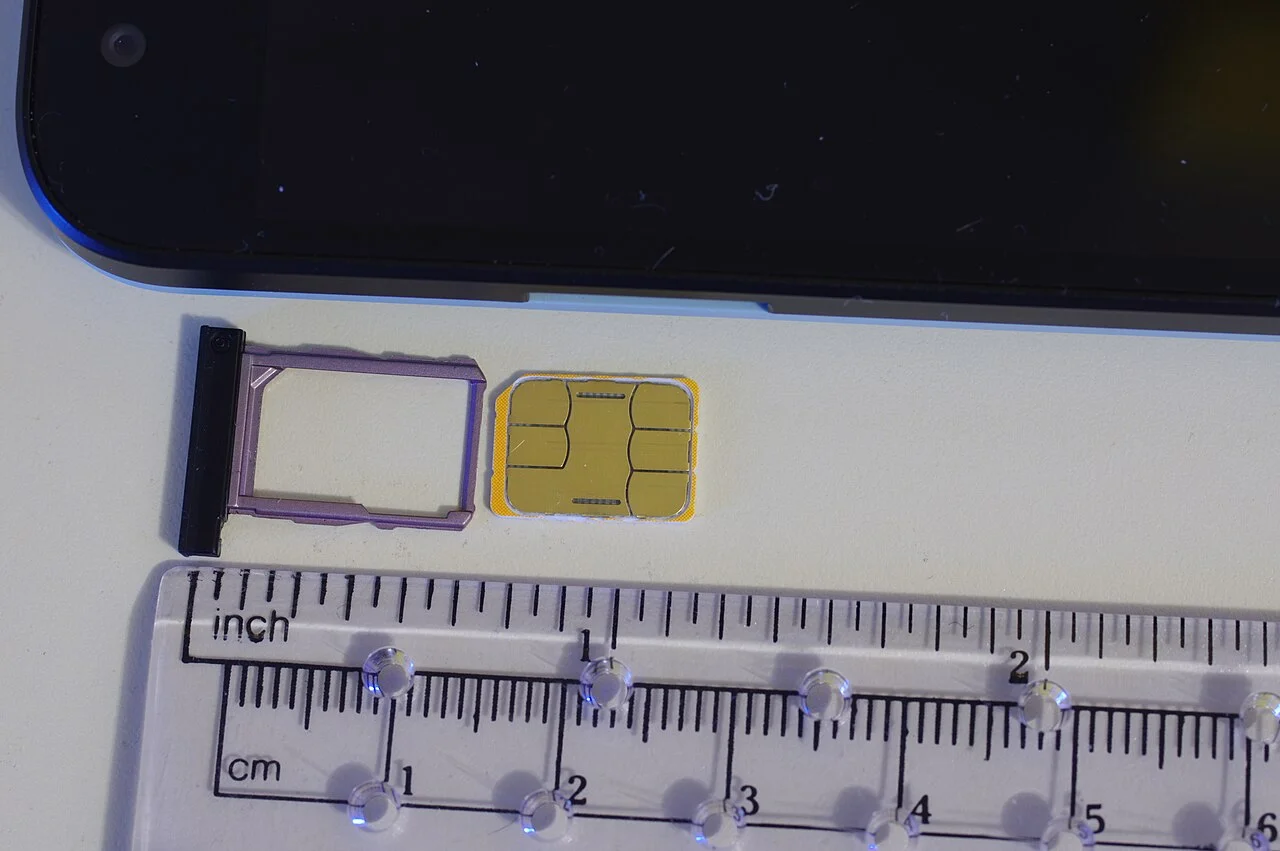
What Is eSIM vs Physical SIM: Form Factors, Hardware Identity, and Remote Provisioning
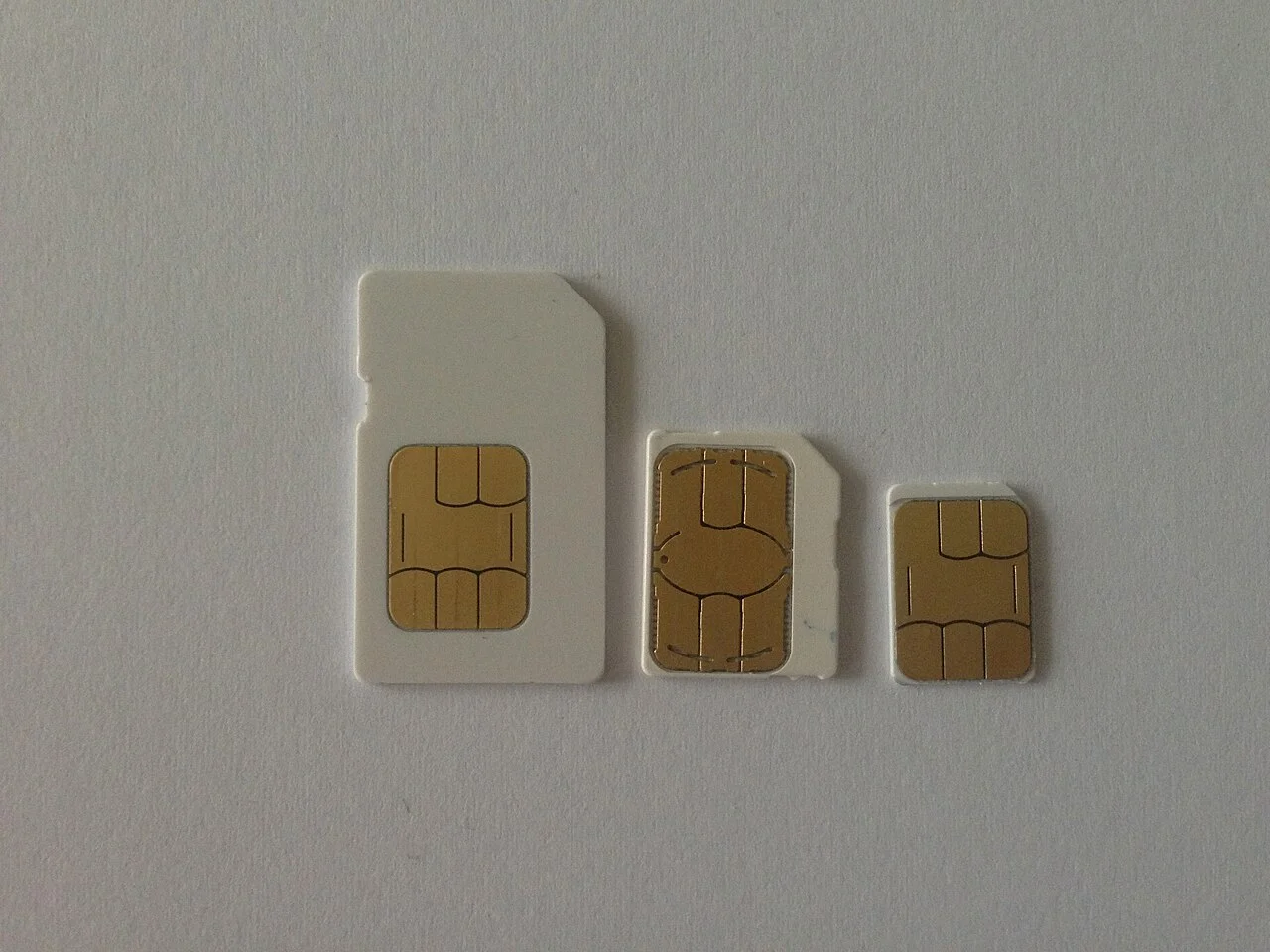
Compare the published physical dimensions and governing specifications across removable SIM generations and embedded eSIM hardware below:
| Form Factor | Published Dimensions and Governing Specification |
|---|---|
| Full-size (1FF) SIM | The Full-size (1FF) SIM card format, introduced in 1991 under ISO/IEC 7810:2003 (ID-1), measures 85.6 mm (3.37 in) in length, 53.98 mm (2.125 in) in width, and 0.76 mm (0.030 in) in thickness. |
| Mini-SIM (2FF) | The Mini-SIM (2FF) format, introduced in 1996 under ISO/IEC 7810:2003 (ID-000), measures 25 mm (0.98 in) in length, 15 mm (0.59 in) in width, and 0.76 mm (0.030 in) in thickness. |
| Micro-SIM (3FF) | The Micro-SIM (3FF) format, introduced in 2003 under ETSI TS 102 221 V9.0.0 (Mini-UICC), measures 15 mm (0.59 in) in length, 12 mm (0.47 in) in width, and 0.76 mm (0.030 in) in thickness. |
| Embedded-SIM (eSIM) | The Embedded-SIM (eSIM) format, introduced in 2016 under ETSI TS 102.671 V9.0.0, JEDEC Design Guide 4.8 (SON-8), and GSMA SGP.22 V1.0, measures 6 mm (0.23622 in) in length by 5 mm (0.19685 in) in width. |
On GSM SIM cards, the packed BCD ICCID data field has room for 20 digits (using hexadecimal digit ‘F’ as filler when necessary), resulting in 20-digit (19+1) and 19-digit (18+1) ICCIDs in practice depending on the issuer. The GSMA maintains three versions of the eSIM standard: SGP.22 for consumer devices, SGP.02 for machine-to-machine (M2M) devices, and SGP.32 (published in May 2023) for server-driven remote profile management in unattended, large-scale IoT deployments. An eSIM can be a physical eSIM in a SIM card form factor or a soldered eUICC chip on the modem, and requires connectivity to the eSIM profile provider’s SM-DP provisioning server during both provisioning and deletion of SIM profiles on the eSIM chip. On the Teltonika RUT986 LTE Cat 4 router for industrial IoT applications, the eSIM uses a bootstrap initial profile download for demanding deployments, offering zero-touch deployment and centralized management.
SM-DP+ Remote Provisioning, Local Profile Assistant, and Baseband Requirements
Starting with Android 9, the Android framework provides standard eUICC APIs, while the Local Profile Assistant (LPA) standalone system app serves as a bridge between the SM-DP+ (remote service that prepares, stores, and delivers profile packages to devices) and the eUICC chip. In Android, EuiccManager provides downloadSubscription(), switchToSubscription(), and deleteSubscription(), while EuiccCardManager provides ES10x functions based on GSMA RSP v2.0 including prepareDownload(), loadBoundProfilePackage(), retrieveNotificationList(), and resetMemory(). When making a custom LPA, developers should work with their modem vendor, eUICC chip or eSIM OS vendor, SM-DP+ vendors, and carriers to ensure interoperability within the RSP architecture, and should follow the GSMA SGP.23 RSP Test Plan for best test coverage.
On power-up, an eSIM modem must send terminal capabilities encoding support for Local Profile Management and Profile Download per ETSI TS 102 221 Section 11.1.19.2.4, where Bytes [1-3] must be 83 (Tag), 01 (Length), 07 (eUICC capabilities). Devices launching with Android 10 must support IRadioConfig HAL v1.2 (where SimSlotStatus includes Embedded Identity Document, EID) and IRadio HAL v1.4 (where CardStatus includes ATR in v1.2 and EID in v1.4). LPA profile provisioning uses the SM-DP server hostname (sm-dp-plus), activation code token (matching-id), and optional one-time password (confirmation-code), decoded from a QR string such as ‘lpa 1 server example io abcd10efghi5kl6m’, while querying esim-id returns an EID such as ‘8903302342630000000004181fffffff’. For bench-level cellular and power fault isolation on enterprise handsets, see the smartphone hardware diagnostics overview.
Broken-Screen and Dead-Motherboard Device Swap: Physical Tray vs eSIM Re-Provisioning
If a cellular carrier supports eSIM Carrier Activation, eSIMs can be automatically installed on an iPhone (with iOS 16 or later) or iPad (with iPadOS 16.1 or later) with no device management service required, or during device setup using Automated Device Enrollment with Apple School Manager or Apple Business. Transferring a SIM from a previous iPhone to a new iPhone using eSIM Quick Transfer without contacting the carrier requires both devices to be signed in with the Apple Account, nearby with Bluetooth turned on, running iOS 18.4 or later, and the previous iPhone to be unlocked with its device passcode to confirm the transfer onscreen. Users should not erase an eSIM as a troubleshooting step unless directed by their carrier because erasing an eSIM requires contacting the carrier to get a new one.
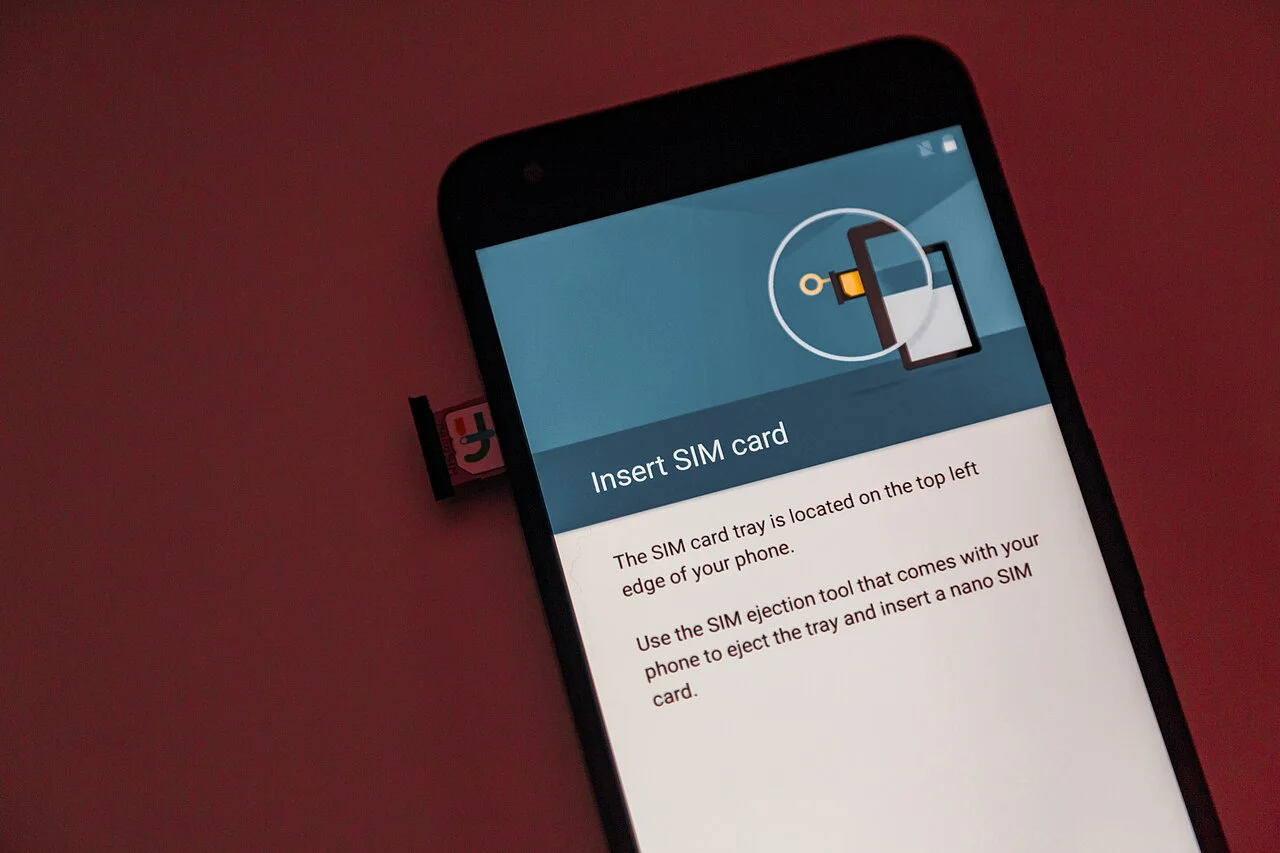
When a field handset cannot power on or unlock for device-to-device transfer due to a board fault, review the diagnostic steps in the phone motherboard repair and PMIC short-circuit guide before authorizing hardware replacement.
MDM Anti-Tamper and Wipe Policies for Apple Supervised and Android Enterprise Fleets
NIST SP 800-124 Rev. 2 (published May 2023) provides recommendations for deployment, use, and disposal of devices throughout the mobile-device lifecycle, covering centralized device management (MDM and EMM) across both organization-provided and personally owned deployment scenarios. Apple’s cellular payload documentation covers managed cellular settings, while carrier activation and plan availability remain separate requirements, and a Work Profile alone does not provision a corporate phone number. Compare the platform cellular restrictions below alongside the small-business MDM and BYOD Work Profile setup guide when configuring fleet profiles:
| Policy Restriction | Platform Scope and Enforcement Behavior |
|---|---|
| Modify eSIM settings | On supervised devices running iOS 12.1 and iPadOS 13.1, the Modify eSIM settings restriction means users cannot add or remove an eSIM plan for an iPhone that supports eSIM. |
| AllowESIMModification | When the AllowESIMModification restriction is enabled, device management service administrators can still use the Refresh Cellular Plans command to install eSIMs, while users are prevented from installing an eSIM even if a ‘Cellular Plan is Ready to be Installed’ notification appears. |
| forcePreserveESIMOnErase | The forcePreserveESIMOnErase restriction on a supervised device prevents deletion of an eSIM when the user selects Erase All Contents and Settings or when the device erases after a certain number of incorrect passcode attempts, maintaining connectivity without a Wi-Fi connection; however, the operating system doesn’t preserve an eSIM if Find My initiates erasing the device. |
| Allow ESIM Outgoing Transfers | On an iPhone or iPad with iOS 18 and iPadOS 18 or later, the Allow ESIM Outgoing Transfers restriction prevents eSIMs from being transferred to a newly set up device using eSIM Quick Transfer. |
| Modify cellular plan settings | On supervised devices running iOS 11 and iPadOS 13.1, the Modify cellular plan settings restriction means users cannot change any settings for the cellular plan. |
| DISALLOW_CONFIG_MOBILE_NETWORKS | Added in Android API level 21, DISALLOW_CONFIG_MOBILE_NETWORKS (constant ‘no_config_mobile_networks’) disallows a user from configuring mobile networks and can only be set by a device owner, a profile owner on the main user, or a profile owner of an organization-owned managed profile on the parent profile. |
| DISALLOW_SIM_GLOBALLY | Added in Android API level 35, DISALLOW_SIM_GLOBALLY (constant ‘no_sim_globally’) blocks the download of embedded SIMs on the device and can only be set by a device owner or a profile owner of an organization-owned managed profile. |
| DISALLOW_CELLULAR_2G | Added in Android API level 34, DISALLOW_CELLULAR_2G specifies if a user is not allowed to use 2g networks (since 2g has no mutual authentication between a device and a cellular base station) and can only be set by a device owner or a profile owner of an organization-owned managed profile on the parent profile. |
Dual-SIM Failover, Multiple Enabled Profiles, and Hardware Compatibility Matrices
On an iPhone XS, iPhone XS Max, iPhone XR, or later, an eSIM enables users to manage up to eight or more eSIMs on the device and activate new plans digitally. On an iPhone using Dual SIM Dual Standby (DSDS), both phone numbers can make and receive voice and FaceTime calls and send and receive messages using iMessage, SMS, and MMS, but the iPhone can use only one cellular data network at a time. On a Dual SIM iPhone, if Allow Cellular Data Switching is turned off and the user is on a voice call using a number that is not the designated cellular-data number, cellular data will not work during the call; turning on Allow Cellular Data Switching automatically switches that line to use both voice and data during the call.
| Hardware or OS Generation | Published eSIM, Physical SIM, and Dual-SIM Support |
|---|---|
| iPhone Dual eSIM vs Single eSIM | All iPhone 13 models and iPhone SE (3rd generation) support Dual eSIM, whereas all iPhone 12 models, iPhone SE (2nd generation), all iPhone 11 models, and all iPhone X models support Single eSIM. |
| U.S. eSIM-Only Apple iPhone and iPad Models | All iPhone 14 or later models sold in the United States, and all iPad Pro (M4) and iPad Air (M2) models, are eSIM only and cannot have a physical SIM removed or replaced. |
| China Mainland, Hong Kong, and Macao iPhone Models | In China mainland, only iPhone 18 Pro, iPhone 18 Pro Max, iPhone Duo, iPhone 17e, and iPhone Air support eSIM, whereas in Hong Kong and Macao certain iPhone models feature Dual SIM with two nano-SIM cards. |
| Google Pixel Dual-SIM and eSIM-Only Matrix | Google Pixel 3a and later phones support Dual SIM Dual Standby (DSDS) with one physical SIM and one eSIM (except Pixel 3a bought in Japan), Pixel 4a (5G) and later connect to 5G in dual SIM mode, Pixel 7 and Pixel 7 Pro or later can use 2 eSIM profiles at once, and US Pixel 10 or later phones (except Pixel 10 Pro Fold) can only use an eSIM. |
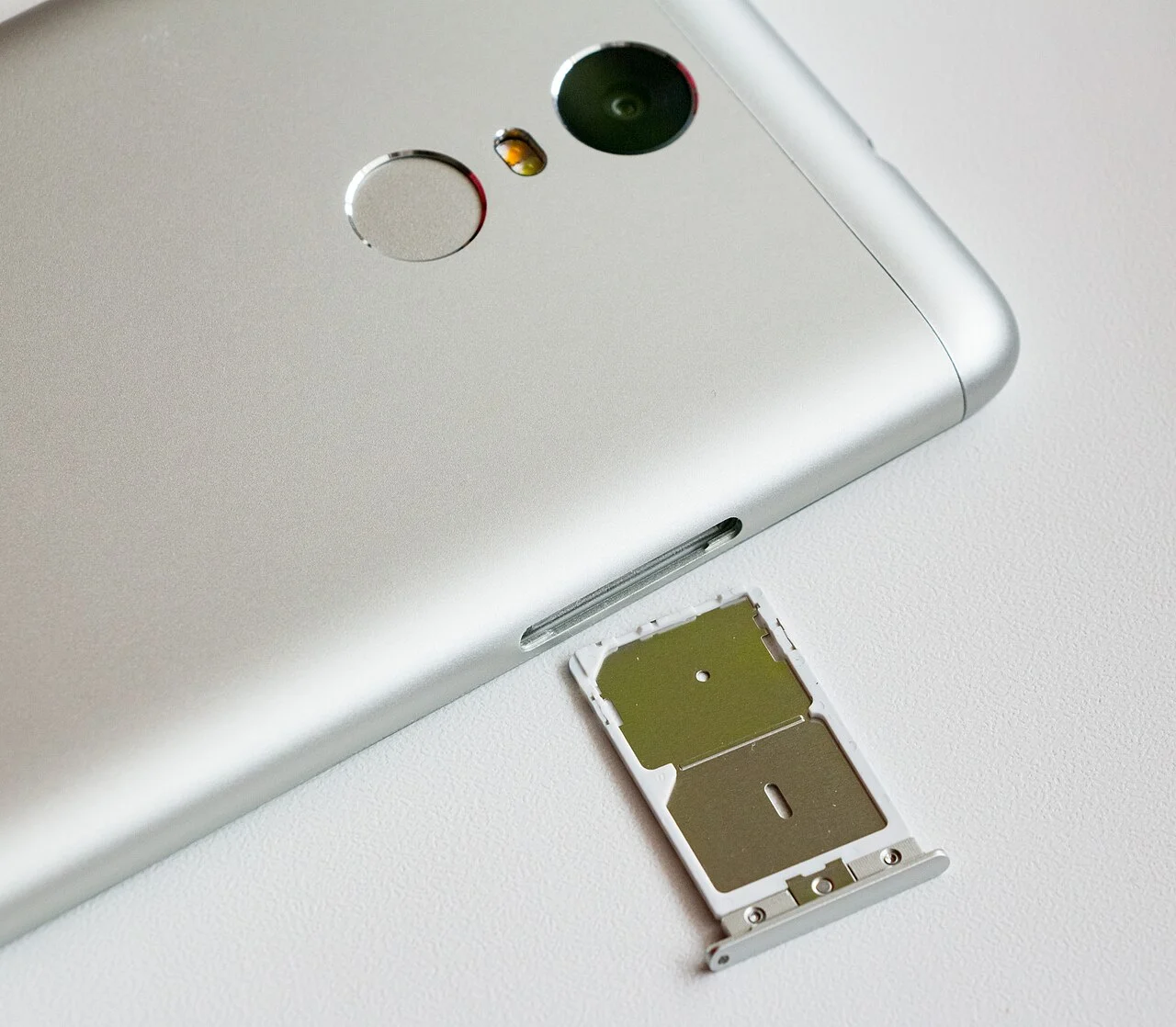
For devices running Android 13 or higher (declaring feature flags android.hardware.telephony.euicc and android.hardware.telephony.euicc.mep), Android supports Multiple Enabled Profiles (MEPs) so a single eUICC chip can host multiple eUICC ports linked to modem basebands for Dual SIM Dual Standby (DSDS) across two different carriers at the same time. For devices running Android 14 or higher, Android supports GSMA SGP V22 3.0 MEP-A1 (where ISD-R is selected on port 0, ES10 commands are sent to port 0, and profiles are selected on eSIM ports 1 and higher) and MEP-B (where ISD-R and profiles are selected on any port and the command port and target port are always the same).
Enterprise Phone Fleet eSIM and Physical SIM Evaluation Checklist
Work through this operational sequence before migrating a company handset fleet between physical cards and remote eSIM provisioning:
- Record hardware identity alongside asset serials. Capture each handset’s embedded chip identifier in the management inventory before assigning carrier subscriptions or staging zero-touch enrollment.
- Lock profile modification and outgoing transfer controls. Enable supervised or device-owner cellular restrictions so end users cannot delete corporate profiles or transfer lines to unmanaged personal phones.
- Document the dead-handset recovery path. Maintain a carrier portal procedure for re-binding lines to spare devices when a damaged screen or logic board prevents onscreen transfer confirmation.
- Verify dual-line data switching behavior. Test voice and data routing on dual-standby handsets so field staff do not lose mobile data connectivity while taking calls on a secondary line.
- Align wipe flags with asset disposition. Keep data plan preservation enabled when reprovisioning active fleet phones, and disable preservation when retiring hardware under the enterprise mobile security lifecycle.
Sources
- Wikipedia — SIM card and eSIM Technical References.
- Apple Platform Deployment — Prepare to Use eSIMs, Deploy Devices with Cellular Connections, and Restrictions for iPhone and iPad.
- Apple Support — Set Up eSIM on iPhone, Using Dual SIM with an eSIM, and How to Erase an eSIM.
- Android Open Source Project — Implementing eSIM, Modem Requirements for eSIM Support, and Multiple Enabled Profiles.
- Android Developers — UserManager API Reference.
- Google Pixel Help — How to Use Dual SIMs on Your Google Pixel Phone.
- National Institute of Standards and Technology — Guidelines for Managing the Security of Mobile Devices in the Enterprise.
- MikroTik RouterOS Documentation — Cellular eSIM Management.
- Electronic Design — Teltonika Cellular Router eSIM Bootstrap Architecture.
Related Technical Guides
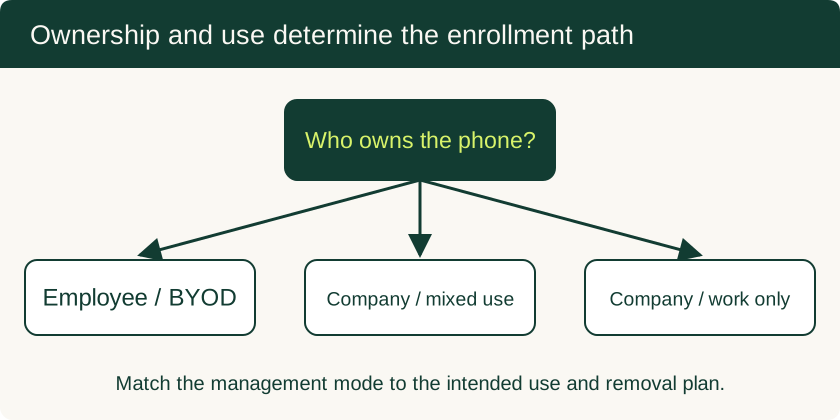
Mobile Device Management for Small Business: BYOD and Company-Owned Setup
Compare enrollment choices, evaluate MDM costs and controls, pilot deployment and test removal of work data before a wider rollout.
Read technical guide
USB-C PD (USB Power Delivery) Fixed PDO vs PPS Profiles, E-Marker Cables, and Hub Pass-Through
How USB-C PD (USB Power Delivery) negotiates Fixed Supply PDO, PPS, and AVS profiles, e-Marker cable limits, and multiport hub pass-through power reserves.
Read technical guide
Water-Resistance Rating Test Conditions vs Phone Water Damage: Gasket Aging, Barometric Vents, and LCI Diagnostics
Examine phone water damage through manufacturer immersion conditions, gasket wear, pressure vents, liquid-contact indicators, and connector alerts.
Read technical guide